
Mobile Business Apps: The Complete Guide to Working On-the-Go 2026
Empower your team to work from anywhere with mobile business applications that keep everyone connected, productive, and in sync regardless of location.

Work no longer happens only at desks. Sales teams close deals in coffee shops and airport lounges. Field technicians update job status from customer sites. Managers approve requests while commuting. Executives review reports during travel. Mobile business applications enable this flexibility, putting essential tools in everyone's pocket. This comprehensive guide explores how to leverage mobile business apps effectively, from selecting the right applications to implementing mobile-first workflows that boost productivity.
The statistics are compelling: 87% of businesses now depend on mobile access to conduct business. Employees with mobile access to business applications are 45% more productive than those restricted to desktop work. Response times to customers and colleagues improve dramatically when team members can engage from anywhere. For modern businesses, mobile capability isn't a nice-to-have—it's essential infrastructure.
The Mobile-First Mindset
Mobile-first thinking designs for smartphone and tablet use as the primary experience, not an afterthought. Rather than shrinking desktop interfaces for small screens, mobile-first design starts with mobile constraints and capabilities, then expands for desktop. This approach yields better mobile experiences while often improving desktop design through focus and simplicity.
For business applications, mobile-first means identifying what users need to accomplish on mobile and optimizing those tasks for touch interfaces, variable connectivity, and limited screen space. Not every desktop feature needs mobile presence—focus on high-value, time-sensitive actions that benefit from mobile access.
When Mobile Matters Most
Certain business activities benefit tremendously from mobile access. Time-sensitive approvals that would otherwise wait until someone returns to their desk can happen immediately. Field updates that would require remembering and entering later can be captured in real-time. Quick status checks that don't warrant opening a laptop can happen in moments.
Mobile excels for brief, focused interactions. Reading and responding to messages, updating task status, approving requests, viewing dashboards, capturing notes and photos—these fit naturally into mobile workflows. Complex analysis, extensive data entry, and detailed document editing typically remain better on larger screens.
Consider your team's work patterns. Sales representatives spend significant time traveling between meetings. Service technicians work at customer sites. Remote workers might work from various locations. Understanding where and when people work helps identify mobile investment priorities.
High-Value Mobile Use Cases
- Approving requests (expenses, time off, purchases)
- Updating CRM after customer meetings
- Logging time and completing timesheets
- Checking project status and dashboards
- Team messaging and quick communications
- Capturing photos and notes from field
- Receiving and acting on notifications
Essential Mobile App Features
When evaluating mobile business applications, certain features distinguish excellent mobile experiences from poor ones. Understanding these features helps select applications that truly enable mobile productivity rather than merely offering mobile presence.
Offline Capability
Connectivity isn't universal. Elevators, basements, remote locations, and travel all create connectivity gaps. Mobile apps that require constant connectivity frustrate users in these situations. Offline capability lets users continue working without connection, synchronizing when connectivity returns.
Offline support varies by application and use case. Reading previously downloaded content is simpler to implement than creating new records offline. Some applications support full offline operation; others support limited functionality. Understanding what works offline helps set appropriate expectations.
Sync behavior matters when reconnecting. Changes made offline should upload smoothly without duplicate creation or data loss. Conflicts (when the same record changed both locally and on server) need sensible resolution. Test offline behavior before relying on it critically.
Push Notifications
Push notifications keep users informed without requiring them to check apps manually. Important events—messages, approvals needed, task assignments, deadline reminders—can trigger immediate notifications. This enables faster response times and keeps team members engaged.
Notification configuration should be granular. Users need control over which events trigger notifications and how urgently they appear. Overwhelming notifications lead to ignored notifications; too few mean missed important events. Good applications let users tune notification behavior to their preferences.
Notification content should be actionable. Rather than just "You have a new message," show enough content to decide whether immediate action is needed. Deep links that open directly to relevant content save navigation time.
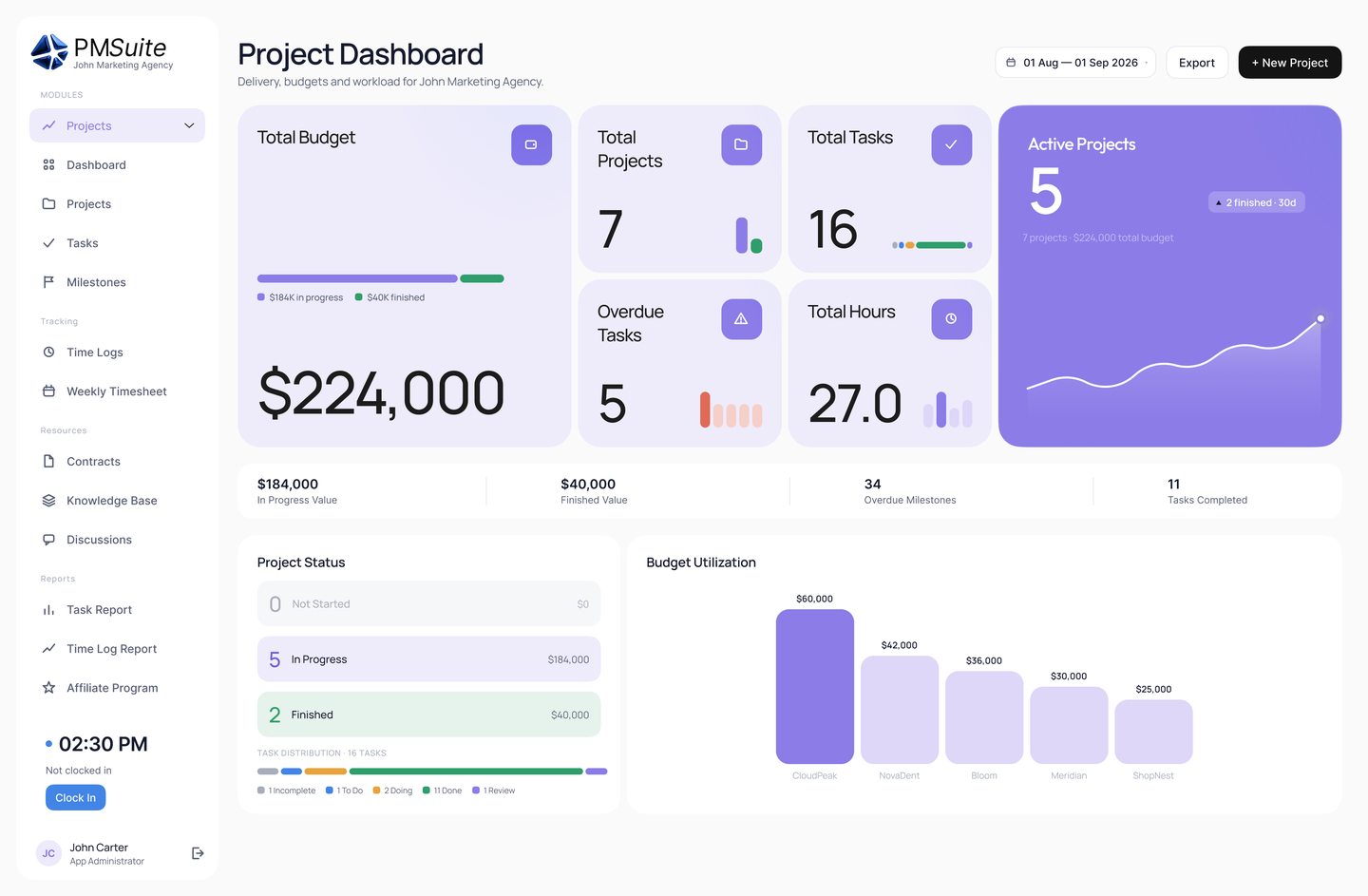
Well-designed mobile interfaces prioritize the most important actions and information for on-the-go users.
Touch-Optimized Interface
Mobile interfaces should be designed for touch, not just scaled down from desktop. Touch targets need appropriate sizing—fingers are larger and less precise than mouse pointers. Gestures should feel natural—swipe to dismiss, pull to refresh, long-press for context menus. The interface should respond immediately to touch without perceptible lag.
Typing on mobile is slower and more error-prone than keyboard input. Good mobile design minimizes typing through smart defaults, autocomplete, quick selection options, and voice input where appropriate. Forms should be streamlined for mobile completion rather than replicating desktop complexity.
Screen real estate is limited. Mobile design prioritizes ruthlessly, showing only what's most important at each moment. Progressive disclosure reveals detail when needed. Navigation stays simple and accessible. Every element earns its screen space.
Device Capabilities
Mobile devices offer capabilities desktops lack—cameras, GPS, biometrics, accelerometers. Smart applications leverage these capabilities. Scan documents with the camera. Log location automatically for field visits. Authenticate with fingerprint or face recognition. Capture voice notes when typing isn't practical.
Camera integration supports various use cases: scanning business cards into contacts, photographing receipts for expense reports, documenting field conditions, scanning barcodes and QR codes. Native camera integration works better than web-based alternatives.
Location services enable location-based features: automatic location tagging, nearby search, geofenced notifications, location-based time tracking. Consider privacy implications and ensure users understand and control location sharing.
Mobile Security Considerations
Mobile devices present unique security challenges. They're easily lost or stolen. They connect through potentially insecure networks. They're used in public places where screens might be observed. Protecting business data on mobile requires addressing these risks.
Device Security
Require device-level security—PIN, fingerprint, or face recognition—as a prerequisite for business app access. If someone obtains an unlocked device, they shouldn't automatically access business data. Application-level authentication provides additional protection even if device security is bypassed.
Remote wipe capabilities enable erasing business data from lost or stolen devices. Mobile Device Management (MDM) solutions can enforce this for company-owned devices. For personal devices (BYOD), app-level remote wipe removes application data without affecting personal content.
Encryption protects data at rest on the device. Modern mobile operating systems encrypt storage by default when device security is enabled. Verify that business applications store sensitive data in encrypted containers, particularly for offline access.
Network Security
Mobile devices connect through various networks—cellular, home WiFi, office WiFi, public hotspots. Not all networks are equally secure; public WiFi in particular poses risks. Business applications should encrypt all network communication regardless of network type.
VPN (Virtual Private Network) provides additional protection by routing traffic through secure channels. Some organizations require VPN for business application access; others use it selectively for sensitive operations. Consider whether VPN requirements align with usability needs.
Certificate pinning prevents certain network-based attacks by ensuring apps only communicate with legitimate servers. This protection is implemented by application developers; look for it when evaluating security-sensitive applications.
Mobile Security Checklist
- Device-level security (PIN/biometric) required
- App-level authentication for sensitive access
- Remote wipe capability enabled
- Data encrypted at rest and in transit
- Operating system and apps kept updated
- Lost device reporting procedure established
BYOD Considerations
Many employees prefer using personal devices rather than carrying separate work phones. Bring Your Own Device (BYOD) policies balance employee convenience against security and management challenges. Personal devices mix personal and business data, creating complexity around privacy, security, and support.
Containerization separates business data from personal data on the same device. Business applications run in a managed container that can be secured and wiped without affecting personal content. This addresses key BYOD concerns while enabling personal device use.
Set clear BYOD policies covering device requirements, security settings, acceptable use, and what happens when employees leave. Employees should understand and agree to policies before accessing business data on personal devices.
Implementing Mobile Strategy
Successful mobile business deployment requires more than installing apps. Strategic planning, change management, and ongoing optimization ensure mobile investments deliver expected value.
Assessing Mobile Needs
Start by understanding how your team works away from desks. Shadow field workers, interview traveling employees, and analyze when important tasks wait for desktop access. These insights reveal where mobile access delivers the most value.
Prioritize use cases by impact and feasibility. High-impact, easy-to-implement use cases deliver quick wins. Complex use cases requiring custom development might wait until simpler opportunities are exhausted. Create a roadmap rather than trying to mobilize everything at once.
Consider device landscape. What devices do employees already have? Will you provide devices, support BYOD, or both? Platform choices (iOS, Android, or both) affect application availability and management approach.
Rollout and Training
Pilot mobile deployment with a representative user group before broad rollout. Pilots identify issues, refine processes, and create champions who help with broader adoption. Select pilot users who are motivated but will provide honest feedback.
Training should cover both application use and mobile best practices. How to use key features. How to manage notifications effectively. How to maintain security. What to do if devices are lost. Brief, focused training works better than lengthy sessions.
Provide ongoing support channels for mobile users. Quick response to questions and issues maintains momentum. FAQs and self-service resources handle common questions. Direct support addresses more complex needs.
Measuring Mobile Success
Track metrics that indicate mobile value realization. Active mobile users show adoption. Feature usage reveals which capabilities resonate. Response time improvements demonstrate productivity gains. User satisfaction indicates experience quality.
Compare mobile users to non-mobile users on relevant metrics. Are sales reps with mobile CRM access closing faster? Are managers approving requests more quickly? Are field workers capturing more accurate data? These comparisons quantify mobile benefits.
Gather qualitative feedback regularly. What do users love about mobile access? What frustrates them? What additional capabilities would help? User insights guide ongoing improvement and investment prioritization.
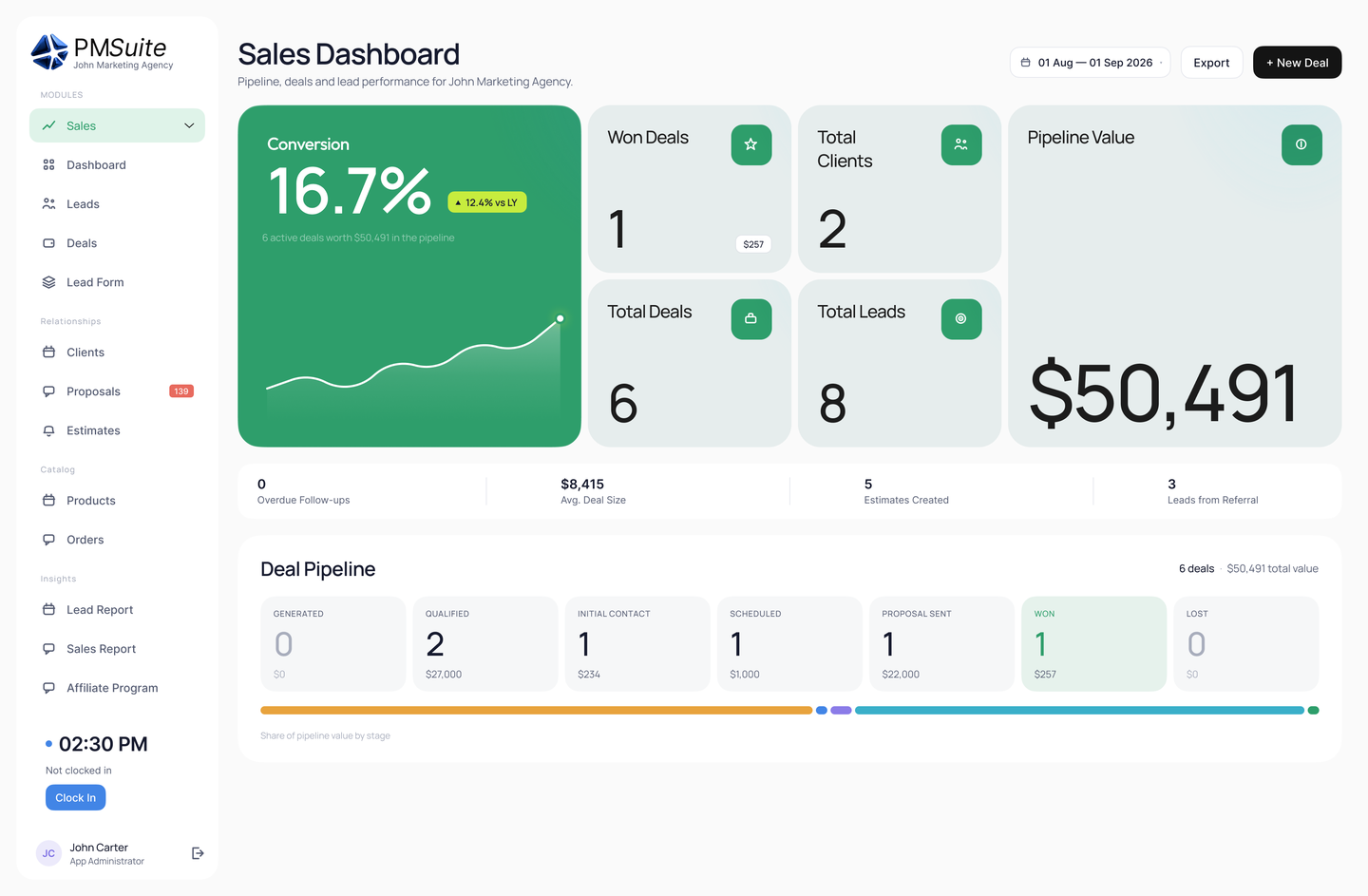
Mobile dashboards provide quick access to key metrics and actionable information on the go.
Mobile Productivity Tips
Beyond choosing the right applications, individual habits affect mobile productivity. These practices help maximize the value of mobile business access.
Notification Management
Notifications are powerful but easily overwhelming. Configure notifications deliberately rather than accepting defaults. Essential, time-sensitive events warrant immediate notification; routine updates can wait for periodic check-ins.
Use notification scheduling for work-life balance. Most mobile platforms support do-not-disturb modes and scheduled quiet hours. Unless you're genuinely on-call, disable work notifications during personal time.
Batch notification processing when possible. Rather than responding to each notification immediately, check notifications at intervals and handle multiple items together. This reduces context switching while maintaining responsiveness.
Capture Now, Process Later
Mobile excels at quick capture. After meetings, quickly log key points and action items. In the field, snap photos and add brief notes. The goal is capturing while context is fresh, not producing finished work on a small screen.
Establish workflows that connect mobile capture to desktop processing. Notes captured on mobile should sync to where you'll elaborate them. Photos should upload to project records. Quick entries should expand into complete records when you have appropriate tools.
Voice entry speeds mobile capture significantly. Dictate notes rather than typing them. Voice-to-text has improved dramatically and works well for drafts that you'll refine later.
Stay Secure
Security awareness should be heightened on mobile. Avoid accessing sensitive data on public WiFi without VPN. Be aware of who might see your screen in public places. Don't leave devices unattended or unlocked.
Keep devices and apps updated. Updates often address security vulnerabilities; delaying them leaves devices exposed. Enable automatic updates where practical.
Report lost or stolen devices immediately. Quick reporting enables remote wipe before bad actors access data. Know your organization's reporting procedure before you need it.
Browse PMSuite’s features for HR, CRM, projects and finance to see what your team can manage from one platform.
Ready for Mobile Business Productivity?
PMSuite provides powerful mobile apps that keep your team connected and productive wherever they work. Start your free trial today.
PMSuite Team
Mobile Productivity Experts