
How to Use Business Events Calendar Software Effectively in 2026
Transform your team's productivity with strategic calendar management, meeting optimization, and scheduling best practices that eliminate chaos and maximize collaboration.

In the modern business environment, time is your most precious and non-renewable resource. How effectively you manage schedules, coordinate meetings, and organize team events directly determines your organization's productivity and success. Yet many businesses still struggle with calendar chaos—double-booked meetings, forgotten deadlines, timezone confusion, and the constant friction of trying to find times that work for everyone. This comprehensive guide shows you how to transform your calendar from a source of stress into a strategic tool for organizational excellence.
Research shows that the average professional spends 31 hours per month in unproductive meetings, while managers can spend up to 23 hours weekly just in meetings. When you factor in the time spent scheduling, rescheduling, and coordinating these gatherings, calendar management consumes a staggering portion of work time. Organizations that master calendar optimization recover this lost time, enabling teams to focus on work that actually moves the business forward rather than constantly juggling schedules.
The Strategic Importance of Calendar Management
Calendar management extends far beyond simply recording appointments. At its core, effective calendar management is resource allocation—deciding how your most valuable asset (time) gets distributed across competing priorities. Every meeting accepted means other work delayed. Every poorly scheduled call means productivity interrupted. Every calendar conflict means decisions unmade or relationships strained. Treating calendar management strategically transforms how your entire organization operates.
Consider your calendar as a reflection of organizational priorities. What gets scheduled gets done. What doesn't make it onto calendars often falls through the cracks. By intentionally managing how calendars get filled, leaders can ensure critical activities receive appropriate attention while protecting time for focused work, creative thinking, and genuine rest. This isn't about cramming more into schedules—it's about making conscious choices about what truly deserves your team's time.
The Hidden Costs of Calendar Chaos
Poor calendar management creates costs that rarely appear on financial statements but significantly impact business performance. Consider the meeting that runs over by fifteen minutes—multiply that by dozens of meetings weekly, and hours disappear. Consider the employee who misses an important client call because of a calendar sync failure—relationships suffer and revenue opportunities vanish. Consider the team constantly in reactive mode, jumping from meeting to meeting with no time to prepare or process—quality suffers across all activities.
Context switching costs alone make calendar optimization essential. Research indicates that after an interruption, it takes an average of 23 minutes to fully return to the original task. When calendars fragment the day into small blocks separated by meetings, workers never achieve the deep focus required for complex work. By clustering meetings and protecting focus blocks, organizations enable the sustained concentration that produces breakthrough results.
Then there's the emotional and physical toll. Calendar overload contributes directly to burnout, as employees feel constantly behind, unable to catch up, and guilty about declining yet another meeting request. Organizations that establish healthy calendar norms—realistic meeting loads, protected personal time, respect for work-life boundaries—maintain healthier, more engaged workforces.
Signs Your Calendar Management Needs Improvement
- Double-booked meetings happen regularly
- Finding meeting times requires lengthy email chains
- Team members miss important events due to poor visibility
- Employees complain about meeting overload
- Timezone errors cause missed or awkward scheduling
- No one knows where to find the company events calendar
Setting Up Your Events Calendar System
Effective calendar management starts with the right foundation—proper system configuration, clear organizational structures, and established conventions that everyone understands. Before diving into advanced optimization techniques, ensure your basic infrastructure supports rather than hinders productive scheduling. Many calendar problems trace back to poor initial setup rather than user behavior.
Begin by selecting a calendar platform that meets your organization's needs. Most businesses benefit from integrated solutions that combine calendars with email, document management, and collaboration tools. This integration enables features like automatic meeting room booking, one-click video conferencing, shared availability views, and seamless mobile access. Standalone calendar applications may work for individuals but create friction in organizational contexts.
Creating Organizational Calendar Structures
Most organizations benefit from multiple calendar layers serving different purposes. Individual calendars track personal appointments and tasks. Team calendars show shared deadlines and collaborative events. Department calendars highlight cross-functional touchpoints. Company calendars display organization-wide events, holidays, and milestones. This layered approach ensures visibility at appropriate levels while avoiding overwhelming users with irrelevant information.
Define clear ownership and maintenance responsibilities for each calendar. Individual calendars obviously belong to individuals, but shared calendars need designated owners who ensure accuracy, resolve conflicts, and maintain consistency. Without clear ownership, shared calendars tend to accumulate outdated events while missing important new ones. Assign calendar maintenance as an explicit responsibility rather than assuming someone will handle it.
Establish naming conventions that make calendars easy to identify and events easy to understand. Consistent prefixes (TEAM-, DEPT-, ALL-) help users quickly filter relevant events. Descriptive event titles (not just "Meeting" but "Q2 Sales Review with Marketing") enable scanning without opening details. Location information—whether physical rooms or video links—should always be included and consistently formatted.
Organized calendar structures make it easy for teams to see what matters and plan their time effectively.
Configuring Default Settings
Calendar default settings shape behavior in subtle but significant ways. Consider default meeting duration—if your platform defaults to one hour, meetings will tend toward one hour even when thirty minutes would suffice. Set defaults that reflect your organization's preferences: perhaps 25-minute meetings (leaving buffer time) or 50-minute meetings (for hour-block scheduling with breaks).
Working hours configuration tells colleagues when you're available and protects personal time from work encroachment. Configure accurate working hours for your timezone and observe them consistently. When scheduling across timezones, calendar tools should automatically flag meetings outside recipients' working hours—but only if those settings are configured correctly.
Notification settings require careful tuning. Too many reminders create noise that users learn to ignore. Too few lead to missed meetings. Most professionals benefit from a single reminder 10-15 minutes before in-person meetings and 5 minutes before virtual ones. Important events might warrant additional reminders the day before. Experiment to find what works for your organization and encourage consistent configuration across teams.
Mastering Meeting Management
Meetings consume more calendar real estate than any other activity, making meeting management central to calendar effectiveness. Yet meetings are also among the most criticized aspects of work life, with endless surveys confirming that professionals consider many meetings wasteful. The solution isn't eliminating meetings—human coordination genuinely requires synchronous communication—but rather ensuring every meeting justifies its existence and runs efficiently.
Before scheduling any meeting, challenge its necessity. Could this be handled via email, document comments, or asynchronous video? Would a quick phone call suffice instead of a formal meeting? Is a decision actually needed, or could work proceed without group input? Many meetings happen simply because meetings are the default coordination mechanism, not because they're the best choice. Build a culture that considers alternatives before defaulting to meetings.
The Art of Meeting Invitations
Meeting invitations set the stage for productive gatherings or frustrating time-wasters. A well-crafted invitation provides everything attendees need to arrive prepared and engaged. A poor invitation leaves participants confused about purpose, unsure what to prepare, and uncertain whether they even need to attend. Invest time in creating quality invitations—it pays dividends in meeting productivity.
Every invitation should include a clear objective statement—what will this meeting accomplish? Avoid vague descriptions like "discuss project" in favor of specific outcomes like "decide on launch date and assign remaining tasks." This clarity enables invitees to determine whether they need to attend and how to prepare. It also provides a natural endpoint—when the objective is achieved, the meeting can end.
Include agendas for any meeting longer than fifteen minutes. Even brief agendas structure thinking and prevent tangents. For longer meetings, assign time estimates to agenda items and stick to them. Identify who will lead each section if multiple contributors are involved. Share relevant documents, background reading, or data with the invitation so attendees can review before arriving. Walking into meetings without preparation wastes everyone's time as participants catch up.
Be ruthless about the attendee list. Every additional participant makes scheduling harder and often reduces meeting effectiveness as discussions become unwieldy. Include only those whose input is essential to achieving the meeting's objective. Others can receive meeting notes afterward. Some organizations adopt the "two-pizza rule"—if you can't feed the meeting with two pizzas, it's too large.
Finding Time That Works
Scheduling multi-participant meetings traditionally involves tedious back-and-forth as organizers hunt for available slots. Modern calendar tools dramatically simplify this through shared availability views, scheduling assistants, and automated polling. Leverage these features to reduce scheduling friction and find optimal meeting times quickly.
Shared availability views show free/busy information for all intended participants, enabling organizers to instantly identify common open slots. This requires that participants keep their calendars updated—a cultural norm worth establishing and reinforcing. When calendars accurately reflect commitments, scheduling becomes nearly effortless. When calendars are incomplete or inaccurate, scheduling reverts to painful manual coordination.
For external meetings where you lack access to participants' calendars, scheduling link tools allow invitees to self-select from your available times. This eliminates the "how about Tuesday at 2? No? What about Wednesday at 10?" email chains that consume time and create friction. Set up scheduling pages for common meeting types (30-minute intro calls, 60-minute demos) with appropriate availability windows.
Meeting Scheduling Best Practices
- Schedule meetings for the minimum time needed, not default durations
- Build in buffer time between meetings for transitions
- Cluster meetings together to protect focus blocks
- Consider energy levels when scheduling demanding meetings
- Respect timezone differences for distributed teams
- Send invites well in advance for important meetings
Running Effective Meetings
Calendar management doesn't end when meetings begin—how meetings run affects whether time invested delivers value. Start meetings promptly at scheduled times rather than waiting for stragglers; this respects punctual attendees and creates cultural pressure for timeliness. Establish clear facilitation roles so someone keeps discussion on track and manages time against the agenda.
Document decisions and action items in real-time, visible to all participants. This prevents the common problem of leaving meetings without clear next steps or with different understandings of what was decided. Assign specific owners and due dates to action items—"someone should look into that" ensures nothing happens. Share notes promptly after meetings for reference and accountability.
End meetings when objectives are achieved, even if scheduled time remains. "We got through everything early, so let's give everyone time back" is always welcome. Conversely, if objectives aren't achievable in remaining time, acknowledge this and schedule follow-up rather than rushing to poor conclusions or running over. Respecting scheduled end times shows consideration for participants' subsequent commitments.
Team and Company Events
Beyond routine meetings, calendars must accommodate team events, company celebrations, training sessions, and other gatherings that build culture and capability. These events require different planning considerations than regular meetings—longer lead times, more complex logistics, and broader communication. Dedicated attention to event calendaring ensures these important activities receive appropriate visibility and participation.
Establish dedicated calendars for company events that all employees can view. This provides a single authoritative source for what's happening when, avoiding the confusion of events buried in individual calendars or announced through scattershot communications. Include sufficient detail in event listings—not just time and place, but what to expect, whether attendance is expected or optional, and any preparation required.
Planning Recurring Events
Many important team activities recur regularly—weekly team meetings, monthly all-hands, quarterly reviews, annual planning sessions. Calendar these recurring events well in advance so they anchor schedules and prevent conflicts. Establishing consistent patterns (every Monday at 9am, first Friday of each month) makes events predictable and easier to protect.
Review recurring events periodically to ensure they remain valuable. Meetings that made sense when established may have outlived their usefulness as circumstances changed. Ask whether each recurring event still serves its original purpose, whether frequency remains appropriate, and whether format could be improved. Don't let calendar inertia preserve meetings that no longer deliver value.
Handle exceptions gracefully. When holidays, conflicts, or other circumstances require moving or canceling recurring events, communicate changes clearly and update calendars promptly. Consider creating exception notices that explain why the normal pattern is disrupted. For particularly important events, send reminder communications beyond calendar notifications to ensure awareness.
Managing Event Logistics
Complex events require logistical coordination beyond simple calendar entries. Room booking systems should integrate with calendars to prevent double-booking and ensure appropriate spaces. Equipment needs—projectors, video conferencing, catering—should be noted and tracked. Attendee management becomes critical for larger events where capacity limits apply or headcounts affect planning.
Create event-specific communication flows for gatherings that warrant them. Pre-event messages build anticipation and provide preparation instructions. Day-of reminders ensure attendance. Post-event follow-up captures feedback and shares outcomes. Integrating these communications with calendar events keeps everything coordinated rather than fragmented across channels.
Build event templates for frequently-recurring event types. If you host monthly customer webinars, create a template including standard agenda items, required resources, notification schedules, and follow-up procedures. Templates ensure consistency, reduce setup effort, and prevent important elements from being forgotten in the rush of execution.

Centralized event calendars give teams visibility into important company activities and deadlines.
Time Blocking and Focus Protection
One of the most powerful calendar management techniques involves not just scheduling what you must do, but proactively blocking time for what you want to do. Time blocking transforms calendars from passive records of commitments into active tools for accomplishing priorities. By scheduling focus time, strategic thinking, and personal priorities with the same discipline as meetings, you ensure these critical activities actually happen.
Identify your most important recurring activities and block dedicated time for them. This might include morning focus blocks for deep work, weekly planning sessions, time for strategic thinking, or personal commitments like exercise or family meals. Treat these blocks as seriously as meetings with important clients—they're meetings with yourself about your priorities.
Protecting Deep Work Time
Creative and analytical work requires sustained concentration that meetings inherently interrupt. Knowledge workers often find their most productive hours fragmented by scattered meetings, leaving no blocks long enough for demanding tasks. Combat this by establishing and defending focus blocks—contiguous periods free from meetings where deep work can happen.
Some organizations establish company-wide focus time norms. "No meeting Wednesdays" or "Focus mornings before 11am" create protected time that individuals don't have to negotiate case-by-case. These collective agreements are more effective than individual efforts because they address the coordination problem—my focus block only works if others respect it.
When establishing personal focus blocks, communicate their purpose clearly. Mark calendar entries as "Focus Time - Available for Emergencies Only" rather than just "Busy." Colleagues are more likely to respect blocks they understand serve legitimate purposes than mysterious blocks that might just be hoarding availability. Some calendar tools support "focus mode" designations that signal intent while allowing urgent interruptions.
Batching Similar Activities
Context switching has well-documented costs—every transition between different types of activities incurs mental overhead. Batching similar activities together minimizes transitions and enables more efficient execution. Schedule all your one-on-ones back-to-back rather than scattered throughout the week. Group administrative tasks into dedicated blocks. Handle email at scheduled times rather than constantly.
Meeting batching offers particular benefits. If you must have meetings, cluster them so they consume specific portions of your schedule while leaving other portions meeting-free. Some professionals designate certain days as "meeting days" when they're highly available, protecting other days for focused individual work. This rhythm becomes predictable for colleagues, making scheduling easier while protecting focus time.
Energy management should inform batching decisions. Schedule demanding activities when your energy peaks and routine tasks when energy naturally dips. Most people have higher cognitive capacity in mornings, making this ideal for challenging intellectual work. Post-lunch typically brings an energy dip, better suited for administrative tasks or collaborative meetings. Understand your own patterns and calendar accordingly.
Distributed Team Calendar Challenges
Remote and distributed teams face calendar challenges that co-located teams don't encounter. Timezone differences complicate scheduling. Lack of informal interaction makes scheduled touchpoints more important. Visibility into colleagues' work becomes harder without shared physical presence. Addressing these challenges requires intentional calendar practices designed for distributed contexts.
Timezone awareness must be built into calendar culture. Always schedule meetings in specific timezones, not ambiguous local times. Calendar tools should display events in viewers' local times while indicating original timezone. Before scheduling, consider what time the meeting falls in each participant's location—an 8am meeting comfortable for you might be midnight for a colleague.
Finding Overlap Windows
Globally distributed teams may have limited windows when all members are available during working hours. Identify and protect these precious overlap windows for activities that genuinely require synchronous participation from everyone. Don't waste overlap time on matters that could be handled asynchronously or with smaller subsets of the team.
Rotate meeting times to distribute timezone burden fairly. If all synchronous meetings happen at times convenient for headquarters but inconvenient for remote offices, those remote team members bear ongoing strain while headquarters experiences none. Rotating meeting times—sometimes early for one group, sometimes late for another—shares the burden more equitably.
Consider whether every meeting needs real-time participation from everyone. Perhaps asynchronous contribution via documents or video messages can replace some synchronous discussions. Perhaps smaller working groups can meet synchronously and report conclusions to broader teams asynchronously. Creative alternatives reduce timezone pressure while maintaining collaboration quality.
Visibility and Communication
Remote teams lack the ambient awareness that comes from physical proximity. Calendar sharing partially compensates by showing what colleagues are doing when. Encourage team members to calendar not just meetings but also major work activities, making their schedules transparent to teammates who might otherwise wonder what's happening.
Status communication integrates with calendar information. When your calendar shows you're in a meeting, status should automatically reflect unavailability. When you're in a focus block, status might show limited availability. This automatic synchronization prevents the frustration of messaging someone whose calendar shows free but who's actually unavailable.
Shared team calendars become more important for distributed teams who can't coordinate casually. Upcoming deadlines, key milestones, team member vacations, and other information that might surface naturally in office conversations needs explicit calendaring for remote teams to maintain awareness.
Calendar Analytics and Optimization
Like any business process, calendar management benefits from measurement and analysis. Understanding how time actually gets spent—versus how we think or intend it to be spent—reveals improvement opportunities. Modern calendar tools often include analytics features that provide insights into meeting patterns, time allocation, and scheduling efficiency.
Start by measuring basic metrics. How many hours per week do you or your team spend in meetings? What's the average meeting size? How often do meetings run over scheduled time? What percentage of meetings have clear agendas? Establishing baselines for these metrics enables tracking improvement over time and identifying areas needing attention.
Identifying Optimization Opportunities
Analysis often reveals surprising patterns. Perhaps certain recurring meetings have grown to include far more participants than originally intended. Perhaps meeting duration has crept up over time without corresponding increases in output. Perhaps certain days have become packed while others are underutilized. Each pattern suggests specific optimization opportunities.
Compare time allocation against stated priorities. If you claim focus work is critical but calendar analysis shows only two hours per week actually protected for focus, something needs to change. If collaboration is emphasized but teams rarely have shared calendar time, perhaps intentional coordination sessions should be established. Align calendared time with strategic priorities.
Look for friction points in scheduling processes. Are certain people consistently bottlenecks whose limited availability delays meetings? Are certain time slots always contested while others go unused? Are rescheduling rates high, indicating initial scheduling isn't working well? Each friction point suggests process improvements.
Continuous Improvement Practices
Make calendar optimization an ongoing practice rather than a one-time project. Regular review—perhaps monthly or quarterly—keeps calendar practices aligned with evolving needs. Include calendar effectiveness in broader productivity discussions. Solicit feedback about what's working and what's frustrating regarding scheduling and time management.
Experiment with different approaches and measure results. Try "no meeting Fridays" for a quarter and assess impact on productivity and collaboration. Implement new meeting norms like mandatory agendas and track adoption. Test different focus block configurations to find what works best for your context. Treat calendar management as a discipline that improves through deliberate practice.
Share successful practices across teams. If one team develops an effective approach to calendar management, help other teams adopt it. Create documentation of organizational calendar norms and expectations. New employees should receive clear guidance on how calendar management works in your organization. Building shared practices creates consistency and mutual respect for time.
Building Calendar Culture
Individual calendar techniques only work when supported by organizational culture. If declining meetings is seen as uncooperative, people won't do it even when meetings don't require their participation. If blocking focus time is viewed as being unavailable rather than being productive, people won't protect their concentration. Culture determines whether good calendar practices are possible to implement.
Leadership plays a crucial role in calendar culture. When executives model good practices—declining unnecessary meetings, respecting others' focus time, sending quality meeting invitations—they signal organizational priorities. When leaders' calendars are chaotic and their meeting practices poor, that chaos cascades through the organization. Calendar culture, like most culture, flows from the top.
Establishing Norms and Expectations
Make calendar norms explicit rather than assumed. Document expectations about meeting scheduling, response times, calendar updating, and availability. New employees often don't know the unwritten rules about meetings and calendars; explicit documentation removes guesswork and enables immediate alignment with organizational practices.
Address calendar violations constructively. When someone consistently schedules meetings without agendas, provide coaching rather than criticism. When someone blocks all their time to avoid meetings, explore what's driving that behavior and address underlying issues. Most calendar problems reflect system issues or skill gaps rather than malicious intent.
Celebrate calendar effectiveness. Recognize teams that run efficient meetings and manage time well. Share stories of how calendar improvements enabled better outcomes. Make time management a visible organizational value rather than an assumed background skill that receives no attention or recognition.
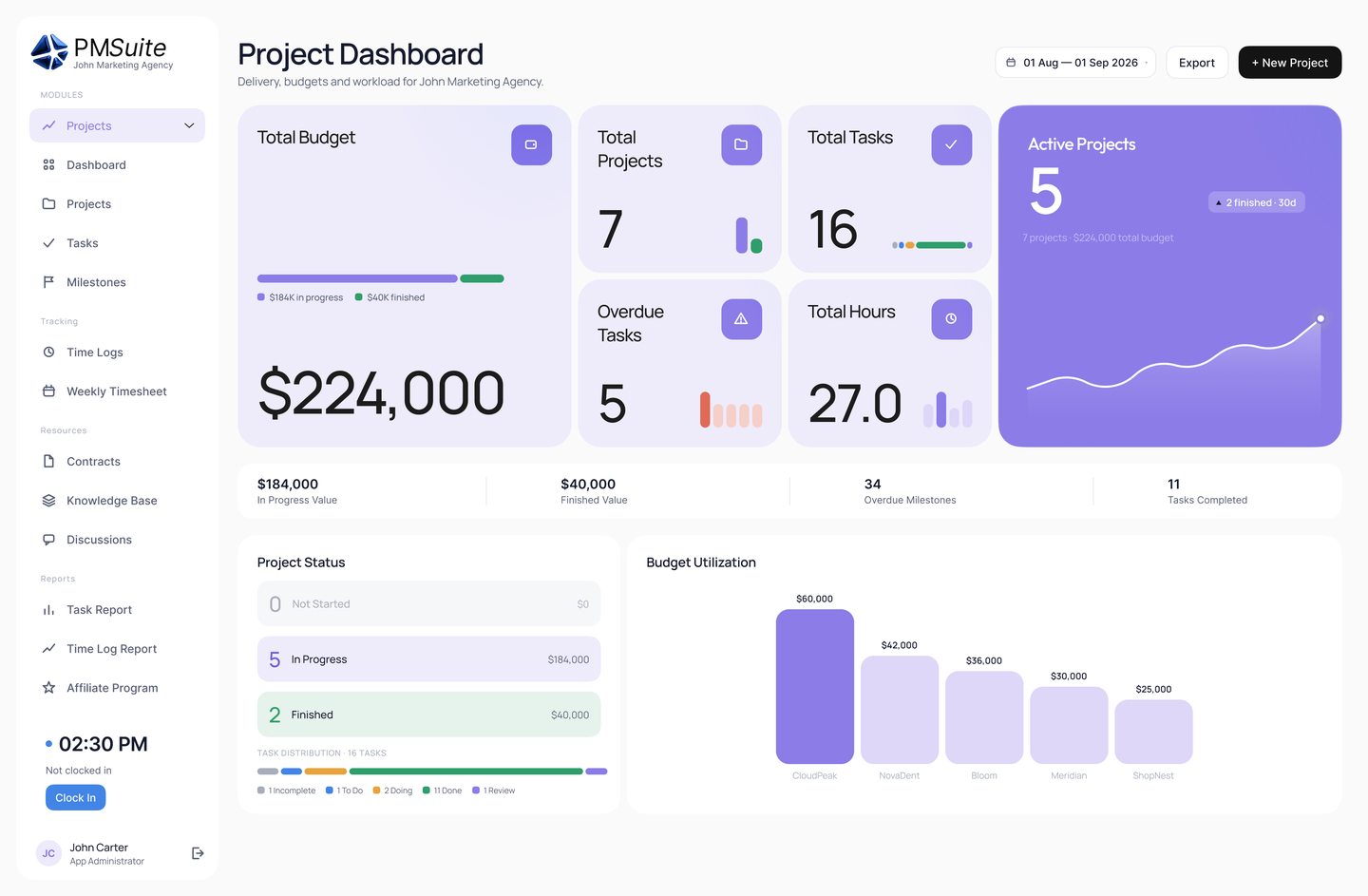
See how a shared events calendar works alongside projects, HR and CRM in PMSuite’s all-in-one feature set.
Ready to Transform Your Team's Calendar Management?
PMSuite provides integrated calendar tools, team scheduling, and event management features that help you make the most of every hour. Start your free trial today.