
The Complete Guide to Team Messaging and Business Communication in 2026
Build a communication culture that drives productivity, collaboration, and engagement with strategic messaging practices and the right tools for your team.

Communication is the invisible infrastructure of every organization. When it works well, teams collaborate seamlessly, decisions happen quickly, and information flows to those who need it. When it breaks down, projects stall, misunderstandings multiply, and employees feel disconnected. This comprehensive guide explores how to build effective business communication through strategic use of messaging platforms, thoughtful protocols, and practices that keep teams connected without overwhelming them.
The shift to remote and hybrid work has made team messaging more important than ever. What once happened through hallway conversations now occurs through digital channels. Organizations that master asynchronous communication gain competitive advantages in talent attraction, operational efficiency, and employee satisfaction. Those that struggle with messaging overload, unclear channels, and communication chaos pay the price in productivity and morale.
The Fundamentals of Business Communication
Effective business communication serves multiple purposes: sharing information, coordinating work, building relationships, and creating organizational culture. Different communication needs require different approaches—the quick question that needs immediate answer, the complex discussion requiring multiple perspectives, the announcement that needs to reach everyone, the sensitive conversation best handled privately. Understanding these different needs enables choosing appropriate channels and approaches.
Communication effectiveness depends on reaching the right people with the right information at the right time. Over-communication wastes attention and creates noise that buries important messages. Under-communication leaves people uninformed and decisions unmade. The goal isn't maximum communication volume but optimal information flow—ensuring critical information reaches those who need it without overwhelming anyone with irrelevant details.
Synchronous vs Asynchronous Communication
Synchronous communication—real-time interaction through meetings, calls, or instant messaging—enables rapid back-and-forth, immediate clarification, and emotional connection. It's ideal for complex discussions, relationship building, and urgent matters. However, synchronous communication requires simultaneous availability, interrupts deep work, and leaves no record for those who weren't present.
Asynchronous communication—messages that don't require immediate response—enables thoughtful consideration, flexible scheduling, and documented records. Email, threaded discussions, and recorded videos let recipients engage when convenient rather than interrupting current work. Asynchronous communication scales better across timezones and respects individual focus time.
Healthy organizations use both modes appropriately. The mistake is defaulting to synchronous communication when asynchronous would work better, or vice versa. Real-time discussion is essential for brainstorming, urgent issues, and relationship building. Asynchronous communication excels for information sharing, non-urgent questions, and complex topics requiring reflection.
When to Use Each Communication Mode
Synchronous (Real-time)
- Urgent matters requiring immediate action
- Complex discussions needing rapid iteration
- Sensitive or emotional conversations
- Team bonding and relationship building
- Creative brainstorming sessions
Asynchronous (Delayed)
- Information sharing and updates
- Questions that can wait hours for response
- Complex topics requiring reflection
- Cross-timezone collaboration
- Documentation and record-keeping
Building Your Messaging Architecture
Effective team messaging requires intentional architecture—decisions about channels, tools, and conventions that shape how communication flows through your organization. Without clear structure, messaging devolves into chaos as people create ad-hoc channels, duplicate conversations across platforms, and struggle to find information. Thoughtful architecture makes communication intuitive and effective.
Start by defining your channel strategy. What channels exist, who belongs to them, and what purposes they serve? Typical organizations need channels for company-wide announcements, department-specific communication, project teams, social connection, and specialized topics. Each channel should have a clear purpose that prevents overlap and helps people know where to post different types of content.
Channel Design Principles
Effective channels are scoped appropriately—broad enough to be useful, narrow enough to be relevant. A single "general" channel becomes a dumping ground for everything; hundreds of micro-channels fragment attention and make information unfindable. Find the middle ground with channels that map to natural organizational units and communication needs.
Name channels clearly and consistently. Prefixes help organize (team-, proj-, help-), while descriptive names communicate purpose without explanation. #team-engineering-frontend tells people exactly who this channel is for, while #discussion or #random provides no guidance. Include channel descriptions that explain purpose, appropriate content, and any conventions.
Decide on public versus private channels thoughtfully. Transparency generally benefits organizations—public channels make information discoverable and prevent duplication. However, some discussions legitimately need privacy: HR matters, sensitive business discussions, client-specific details. Default to public and create private channels only when genuinely needed.
Well-organized channel structures make it easy for team members to find and participate in relevant conversations.
Integrating Multiple Communication Tools
Most organizations use multiple communication tools: instant messaging for quick exchanges, email for external and formal communication, video for meetings and face-to-face interaction, project tools for task-related discussion. Clear guidelines about when to use each tool prevent confusion and ensure messages reach recipients through appropriate channels.
Avoid tool sprawl where different teams adopt different platforms, creating silos and integration headaches. Standardize on a primary platform for team messaging, allowing exceptions only with clear justification. Integration between tools—notifications flowing between systems, information accessible across platforms—reduces friction when multiple tools are necessary.
Consider integrated platforms that combine messaging with other business functions. When team chat, project management, customer records, and documentation live in the same system, context flows naturally between activities. Conversations about projects link to project details; customer discussions connect to customer records. This integration reduces the fragmentation that plagues organizations using disconnected tools.
Effective Messaging Practices
Even with perfect architecture, communication effectiveness depends on how people use the system. Clear, considerate messaging habits amplify the value of any platform, while poor habits create noise and frustration regardless of tooling. Establishing and modeling good practices transforms communication culture over time.
Write messages that respect recipients' time and attention. Front-load important information—recipients should understand the key point from the first sentence. Provide context sufficient for understanding without overwhelming detail. Use formatting (bullets, headers, code blocks) to improve scanability. If a message requires more than a few paragraphs, consider whether document format would serve better.
Thread Management
Threading keeps conversations organized by grouping related messages together. When topics arise within channels, respond in threads rather than cluttering the main channel. This keeps the channel scannable while preserving detailed discussion for those who want it. Threads also prevent multiple simultaneous conversations from interleaving confusingly.
Start new threads for new topics rather than hijacking existing ones. If a thread discussion sparks a tangentially related question, start a fresh thread for that topic. Thread titles (in systems that support them) should clearly indicate the topic being discussed so others can decide whether to follow.
Be thoughtful about thread notifications. Replying to a thread notifies everyone following it—ensure your reply adds value for the full audience. If you need to respond to only the original poster, consider direct message instead. The goal is ensuring relevant people see relevant messages without bombarding everyone with every update.
Mention and Notification Etiquette
Mentions (@person, @channel, @here) are powerful but easily abused. Every notification interrupts someone's focus, so use mentions only when you genuinely need that person's attention. Channel-wide mentions should be rare, reserved for information that truly requires everyone's awareness. Crying wolf with unnecessary mentions trains people to ignore them.
Be specific about what you need when mentioning someone. "@Sarah can you review the attached document by Thursday?" is actionable. "@Sarah" with no context requires Sarah to investigate what you want. Make it easy for mentioned individuals to understand and respond by providing necessary context in the message.
Respect status indicators and working hours. If someone's status shows "Focusing" or "In a meeting," wait unless your matter is urgent. If you're messaging outside working hours, indicate that response can wait. Different organizations have different norms about after-hours messaging—clarify expectations rather than assuming.
Messaging Etiquette Guidelines
- Lead with the key point—don't bury important information
- Use threads to keep channel conversations organized
- Mention people only when you genuinely need their attention
- Respect status indicators and working hours
- Post in appropriate channels rather than defaulting to general
- Search before asking questions that might be answered elsewhere
Managing Communication Overload
Messaging tools intended to improve communication can become sources of constant interruption and anxiety. The endless stream of notifications, the pressure to respond immediately, the fear of missing important information—these overwhelm rather than empower. Organizations must actively manage messaging volume and expectations to prevent communication overload.
The root of overload is often cultural rather than technical. Organizations that expect immediate response to all messages, that measure engagement by message volume, that celebrate "always available" behavior—these create environments where people can never disconnect. Changing this requires leadership modeling healthy habits and explicitly permitting reasonable boundaries.
Setting Healthy Boundaries
Individuals need permission and tools to manage their attention. Notification controls—muting channels, scheduling quiet hours, distinguishing urgent from routine—let people focus on priority work without missing critical communications. Encourage employees to customize notification settings rather than accepting overwhelming defaults.
Establish expected response times that allow for focused work. For most internal messages, same-day response is reasonable; immediate response should not be the default expectation. When something truly needs urgent attention, escalate appropriately rather than relying on routine channels. This differentiation preserves the urgency of urgent messages.
Model boundaries from leadership. When executives respond to messages at all hours, they implicitly signal that others should too. When leaders take vacation without checking messages, use do-not-disturb during focus time, and respect others' boundaries, they create permission for everyone to do the same.
Reducing Unnecessary Messages
Many messages add little value—brief acknowledgments, unnecessary CCs, duplicative sharing. While some acknowledgment and documentation is important, excessive messaging creates noise that buries important communications. Encourage restraint: does this message genuinely add value, or am I sending it out of habit or anxiety?
Consolidate updates rather than sending many small messages. Instead of six separate updates throughout the day, consider one end-of-day summary. Instead of copying everyone on every email, send targeted updates to relevant parties. The aggregate volume of messaging matters; thoughtful consolidation reduces interruptions without sacrificing information flow.
Use asynchronous channels for asynchronous information. Status updates, documentation, and informational sharing don't need real-time response. Post them in appropriate locations (project notes, documentation, async channels) where people can consume them at their convenience rather than interrupting with notifications.
Remote and Distributed Team Communication
Remote work amplifies both the importance and challenge of team messaging. Without shared physical space, digital communication carries the full weight of team coordination, relationship building, and cultural maintenance. Remote teams must be more intentional about communication than co-located teams, compensating through deliberate practices what they lack in informal interaction.
Asynchronous communication becomes essential for distributed teams spanning timezones. If real-time overlap is limited, teams must function effectively without constant synchronous communication. This requires comprehensive written communication, documented decisions, and norms about response timing that don't assume immediate availability.
Creating Connection Remotely
Team messaging provides functional communication, but relationships require more. Dedicated social channels where teams can share personal updates, celebrate achievements, and engage casually help build the human connections that make work meaningful. These interactions might feel unnecessary but contribute significantly to team cohesion and employee engagement.
Regular video touchpoints supplement text communication. Seeing colleagues' faces, reading body language, and engaging in real-time conversation builds relationship in ways text cannot. Even teams that communicate primarily asynchronously benefit from periodic synchronous gatherings—weekly team calls, quarterly all-hands, or social video sessions.
Be proactive about inclusion. Remote team members can easily feel disconnected, especially if part of the team is co-located. Ensure communications reach remote employees, that meetings accommodate remote participants, and that social activities include virtual options. The burden of staying connected should not fall entirely on remote individuals.

Integrated communication tools help remote teams stay connected and collaborate effectively across locations.
Documentation and Transparency
Remote teams depend on documentation more than co-located teams. When you can't tap someone's shoulder to ask a question, written resources become essential. Invest in comprehensive documentation of processes, decisions, and institutional knowledge. This investment pays dividends in reduced redundant questions and faster onboarding.
Default to transparency in remote contexts. Conversations that might happen privately in an office should happen in visible channels where relevant colleagues can observe and contribute. Private messages have their place, but excessive private communication creates information silos that fragment distributed teams.
Document decisions and the reasoning behind them. When discussions happen asynchronously across days, recording conclusions prevents confusion about what was decided. When team members join later, documented history helps them understand context. This documentation discipline seems burdensome initially but becomes natural with practice.
Communication Governance and Policies
Formal policies set expectations and protect both organizations and employees. Communication policies address appropriate use, data retention, confidentiality, and compliance requirements. While heavy-handed policies stifle communication, thoughtful guidelines prevent problems and provide clarity. Balance control with flexibility to enable effective communication without creating excessive bureaucracy.
Data retention policies determine how long messages are kept and when they're deleted. Regulatory requirements, legal considerations, and business needs all influence retention decisions. Ensure employees understand what's retained, what's discoverable in legal proceedings, and any limitations on communication content.
Security and Confidentiality
Business messaging often contains sensitive information—customer data, financial details, strategic plans. Establish clear guidelines about what can be discussed in which channels, how to handle confidential information, and what cannot be shared digitally. Train employees on security practices including recognizing phishing attempts and protecting credentials.
External communication policies govern interaction with customers, partners, and vendors through messaging platforms. Some organizations restrict external messaging to specific tools; others allow flexibility with guidelines. Consider how external parties will access your systems and what information they should or shouldn't see.
Mobile device policies address messaging on personal devices. If employees use personal phones to access business communications, consider security implications—device encryption, remote wipe capabilities, separation of personal and business data. Balance security needs with practical reality of how modern workers operate.
Onboarding and Training
New employees need guidance on communication norms beyond tool mechanics. Include communication expectations in onboarding: which channels to join, how to use threads, when to use which tools, expected response times, and cultural conventions. This explicit guidance prevents new hires from struggling to understand unwritten rules.
Ongoing training addresses evolving practices and reinforces good habits. When introducing new channels, tools, or conventions, explain the reasoning and provide guidance on adoption. Periodic refreshers on communication practices help maintain healthy habits that might otherwise degrade over time.
Create resources for communication reference—channel directories, tool guides, etiquette documentation. New and existing employees alike benefit from having answers accessible rather than requiring individual explanation of every question.
Measuring Communication Effectiveness
Like any business function, communication benefits from measurement and analysis. While communication effectiveness is harder to quantify than sales or operations metrics, thoughtful measurement provides insights for improvement. Combine quantitative metrics with qualitative assessment to understand how well your communication systems serve organizational needs.
Quantitative metrics include message volume, response times, channel activity, and search usage. While high message volume might indicate engagement, it could also indicate inefficiency. Quick response times might show responsiveness or suggest unhealthy always-on expectations. Interpret metrics carefully, considering what behaviors they might indicate.
Gathering Feedback
Direct feedback from users reveals communication pain points that metrics miss. Survey employees about communication effectiveness: Do they find needed information easily? Are they overwhelmed by messaging volume? Do they feel connected to their teams? Regular pulse surveys identify emerging issues before they become serious problems.
Observe communication patterns for signs of dysfunction. Are certain channels dead while others are overwhelmed? Are private messages proliferating when public channels would serve better? Are decisions being made in places others can't see? These patterns suggest adjustments to channel architecture or cultural norms.
Review communication during post-mortems and retrospectives. When projects succeed or fail, examine how communication contributed. When conflicts arise, consider whether communication breakdowns played a role. Each experience provides learning opportunities for improving communication practices.
Continuous Improvement
Communication practices should evolve with organizational growth and changing needs. What works for a ten-person startup may not scale to a hundred-person company. Channel structures, conventions, and tool choices that served well initially may need revision as circumstances change.
Schedule periodic communication reviews—perhaps quarterly—to assess what's working and what needs adjustment. Archive unused channels, revise outdated conventions, introduce new practices that address emerging needs. Treat communication infrastructure as a living system requiring ongoing cultivation rather than a set-and-forget configuration.
Benchmark against similar organizations when possible. Industry forums, conferences, and networks provide opportunities to learn how others handle communication challenges. What you discover might confirm your practices or suggest alternatives worth trying.
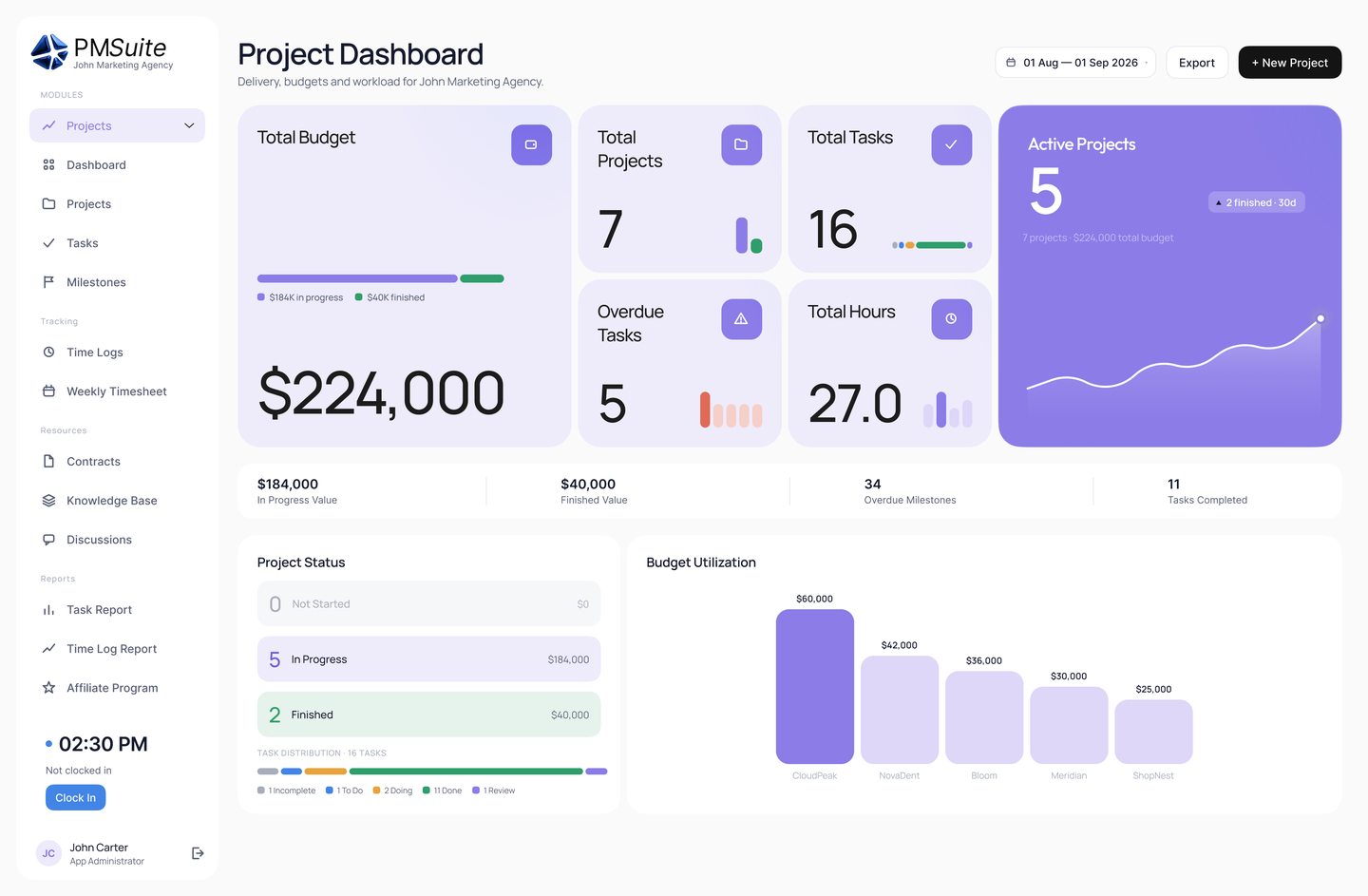
See how team chat, notices and discussions sit next to projects and HR in PMSuite’s all-in-one feature set.
Ready to Transform Your Team Communication?
PMSuite provides integrated messaging, project collaboration, and team tools that help your organization communicate effectively. Start your free trial today.